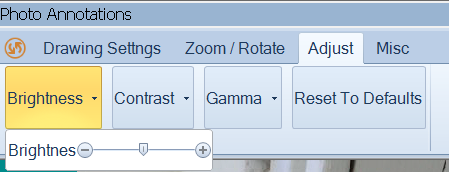
Click the Adjust Tool Tab for basic image adjustments:
Choices include adjustments to Brightness, Contrast and Gamma. Gamma adjustments can be very effective to lighten an image with minimal haze effect.
Click Reset to Defaults to undo any adjustments. Once another image is loaded into the Photo Editor the changes become permanent.