To properly display this page you need a browser with JavaScript support.
×
Menu
Index
Search
Search
Search
2. Screen Reference
Main Screen
Simple Text Editor
Text Toolbar
Previous page
Next page
(c) FastPhotoReports, 2026 All rights reserved
To properly display this page you need a browser with JavaScript support.
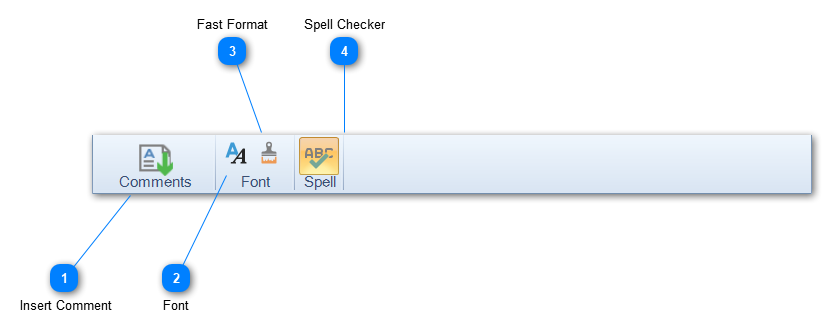
Text Toolbar
Insert Comment
Click the Comment button to insert comments from the comment library. See
Comment Library
for more details.
Top
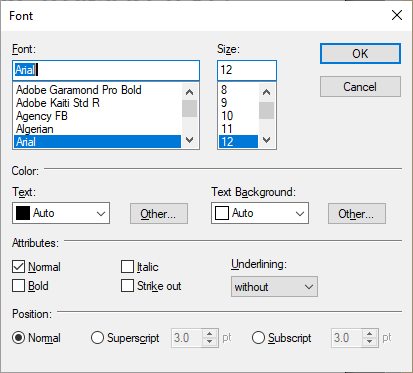
Font
Clicking the Font button will display a simple Font selection dialog to choose Font, Size, Color, Underline etc:
Top
Fast Format
Clicking the Fast Format button will set the Font to the Default Font for the selected text or all of the text if no text is selected. The Default Font that can be set in the FastPhotoReports
settings dialog
.
Top
Spell Checker
Click to toggle the spell checker on or off. The spell checker is an as you type checker which will squiggly line misspelled words.
Top
The help manual was created with Dr.Explain