Use Named Lists to create Global dropdown lists. Named Lists provides a way to create global dropdown lists that can be reused across any report or report template.
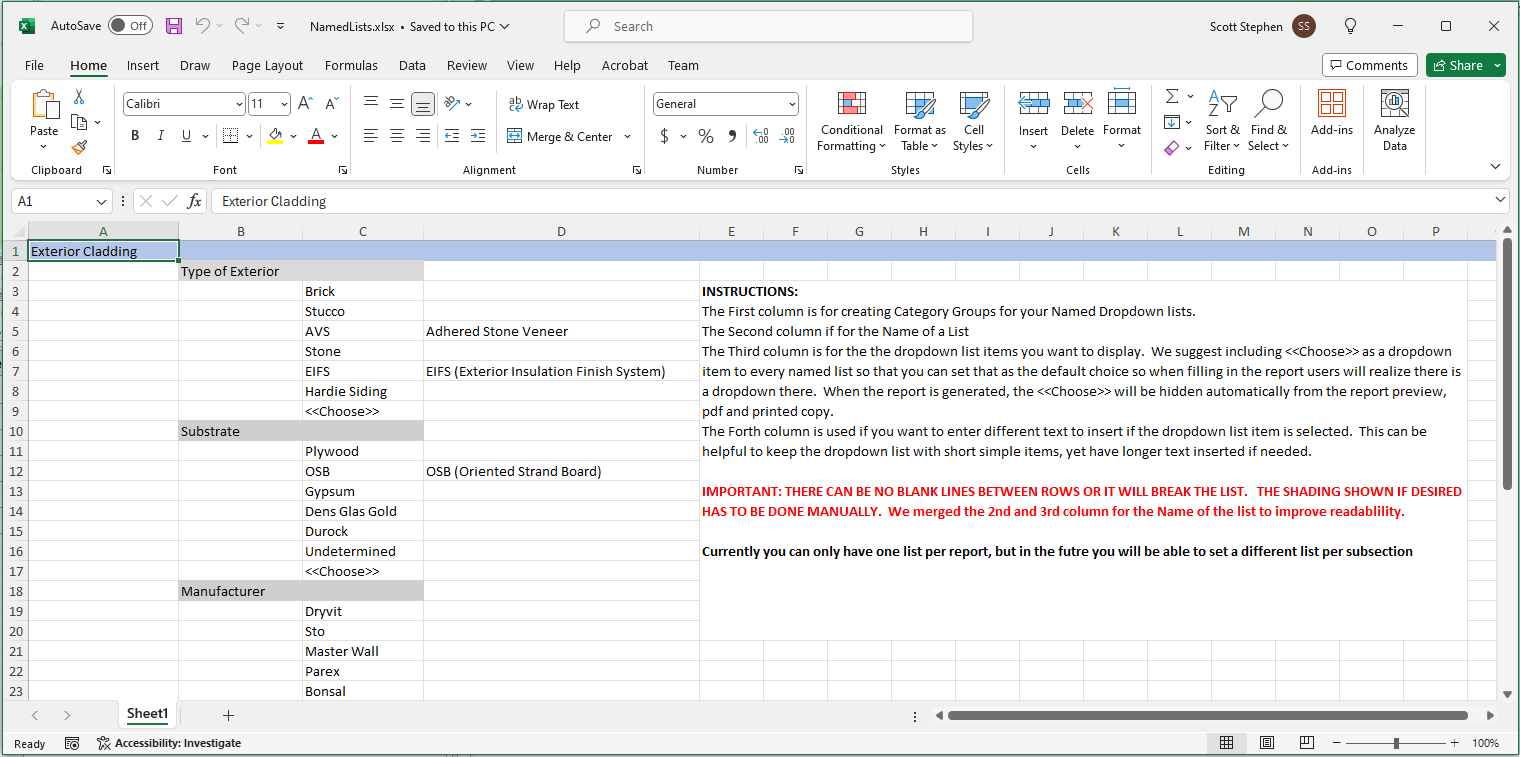
Named lists are created and maintained in an Excel spreadsheet. The lists are stored in the Documents / FastPhotoReports / Named List folder. There is a sample Named list in the folder. We suggest copy and pasting this file as a starting point for a new named list. The sample Excel speadsheet contains instruction of how to make the lists.
Master lists can be easily maintained and sent out to team members so everyone has the most current lists.
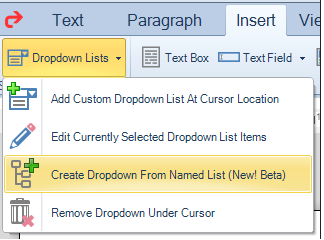
To utilize a list in a report, go into the editor of any text section and click on the 'Create Dropdown from Named List' option under the Insert tab:
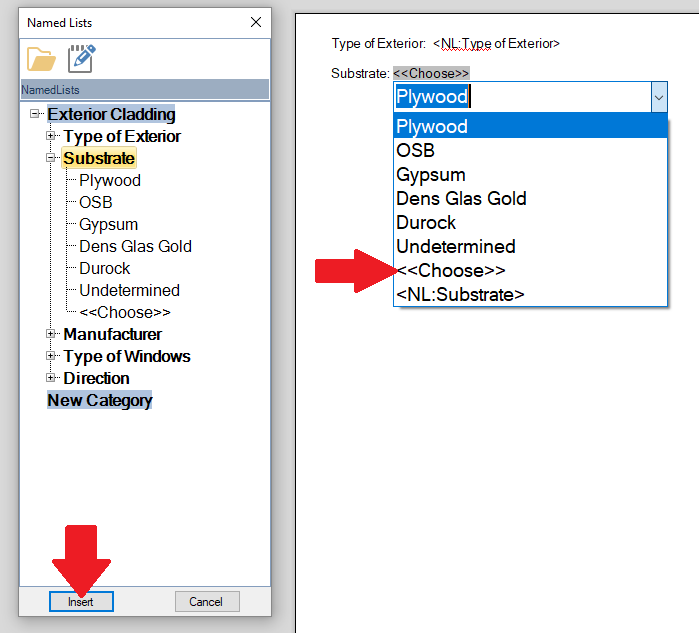
Once selected the named list dialog will show (see image below). Named lists can be loaded and edited from this dialog.
To Use one of the lists simply click on that list item in the dialog and click insert - be sure to select one of the items from the list as a default text of 'NL:FieldName' We suggest always including a list item <<Choose>> and selecting as the default so users know there is a dropdown available:
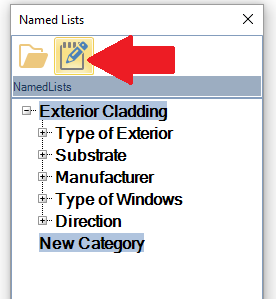
To Edit the Named list click the Edit Icon:
The list will be opened in Excel for editing. Additional instructions will be found in the excel spreadsheet: