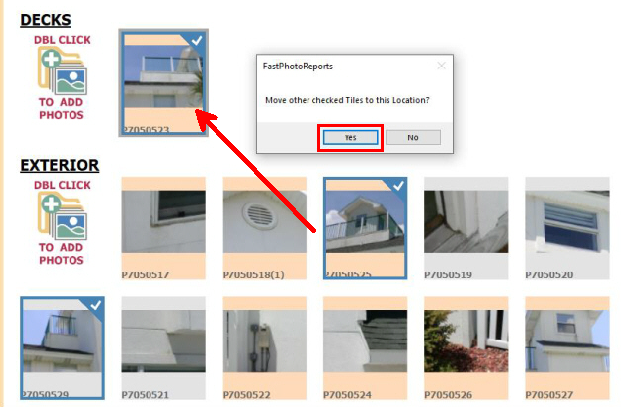
Rearranging photos is as simple as dragging a photo in the Photo Viewer to the desired location. Photos can be dragged using the mouse or touch. Photos can be moved around within the same section or dragged to a completely different photo section:
Photos can also be Moved by Checking the photos and then clicking the Move Up or Move Down buttons on the Checked Photos tool button panel at the top of the Photo viewer. See 'Checked Photos Tool Button Panel' for more information
Multiple photos can be moved together by right mouse clicking on the desired photos to select them (which will check them) and then drag the first photo to the new desired location. A prompt will be displayed offering the option to move all checked photos: